

Documentation Index
Fetch the complete documentation index at: https://resend.com/docs/llms.txt
Use this file to discover all available pages before exploring further.
What is an API Key?
API Keys are secret tokens used to authenticate your requests. They are unique to your account and should be kept confidential. You must create at least one API key to use the Resend platform through code (e.g., SDKs, API, command-line interface (CLI), or AI tools).Create an API Key
You can create API keys in four ways:- in the API keys Dashboard page
- using the Resend API
- with a Resend CLI command
- with the Resend MCP server
Select a permission for your API key.
Choose “Sending access” to grant access to only sending emails unless your key needs full access to Resend’s API to create, delete, get, and update any resource.This API key permission can be updated at any time.
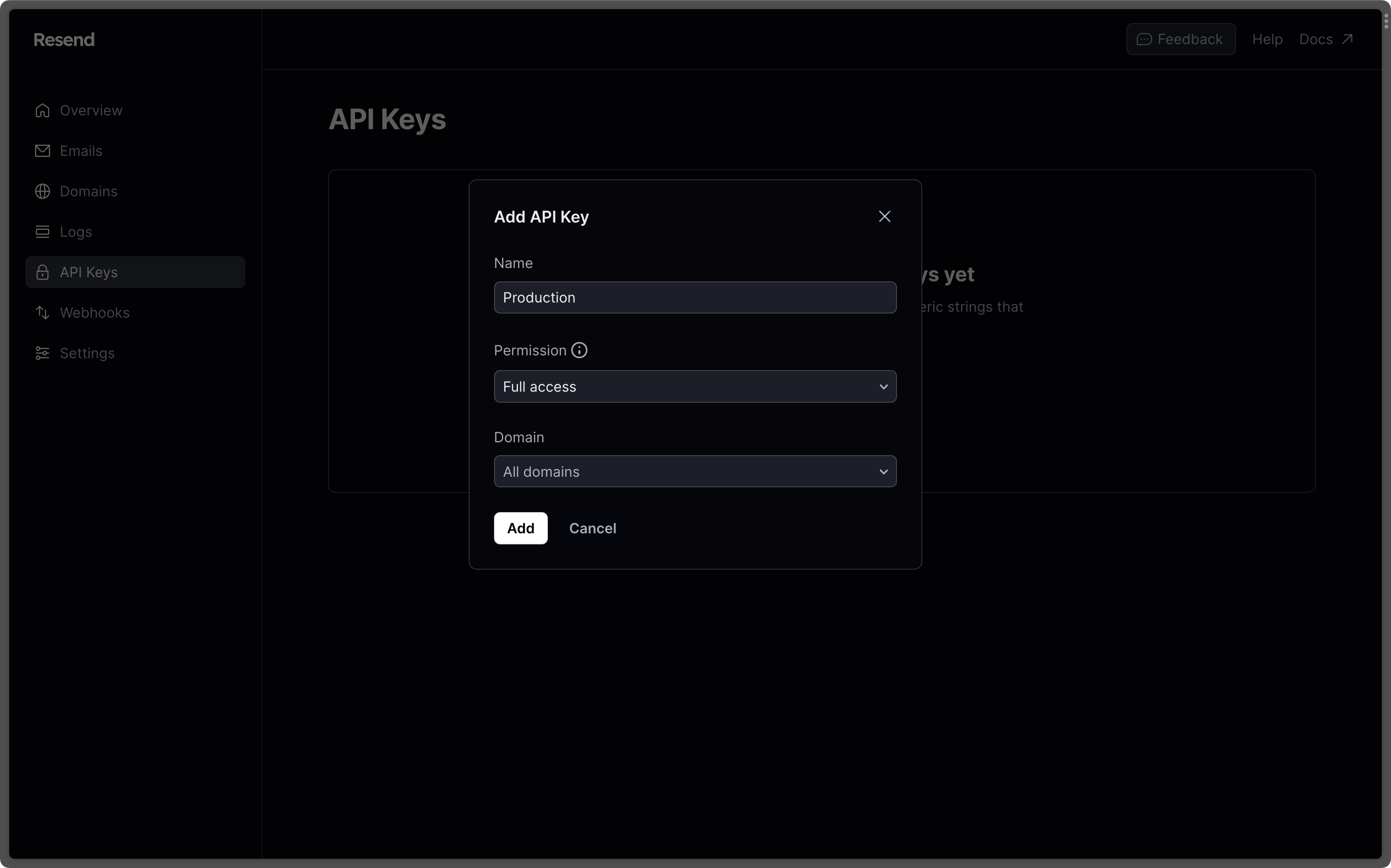
For security reasons, you can only view the API Key once. Learn more about
API key best practices.
Use the API key in your code
Authenticate your requests by adding your Resend API key to your project as an environment variable. You can check the quickstart guides or AI builder guides for specific examples of passing your API key to your project.Create and store an environment variable
Store your API key as an environment variable in your project. This is commonly done inside a special file or configuration panel and will depend on your language, framework, or development platform.For example, Node.js projects commonly store both public and secret variables in a
.env file at the root of your project:.env
Pass the environment variable to your code
Your project environment variables are not automatically available to Resend. You must explicitly pass your API key value to your Resend code.For example, whenever you create a new Resend instance in a Node.js project, you must pass the environment variable on
process.env:app.ts
On Node.js
v20 and later, you can pass your .env file’s variables to your script using the --env-file=.env flag. Alternatively, you can use the dotenv package to load the variables.Learn more
Manage API keys
View, create, edit, delete, and manage your API keys.
API key best practices
Learn about best practices for managing your API keys.
Next steps
Add a domain
Add and verify a domain you own to start sending emails.
Quickstart tutorials
Send your first transactional email with a quick tutorial for your language
or framework.